
Home: What Changed Since Your Last Visit
The central problem of any monitoring isn't lack of data — it's the question you come back with after a week of operations: what did I miss while I was away? Classic dashboards can't solve it, because they show you today's state, not the difference since your last look — and the difference is all you care about.
Home in RavenBI is built exactly on this difference: its window is measured from YOUR last visit, not from "yesterday" or "this week". You were away three days — you see three days of changes; you were away two weeks — you see two weeks. And when the market has been quiet, the screen says that too, instead of filling the gap with decorative noise.
What you'll be able to do after this chapter
- read the screen's three floors: the day's priorities, the market activity since the last visit, your watchlist;
- use Home as the entry gate of every working session — thirty seconds of triage before anything else;
- trust the quiet: what it means when the screen says nothing relevant happened.
The principle
The screen has three floors, in the order you read them:
- The things that deserve your attention — a few events, prioritized by the market's signals and your interests, each with the "why it matters" explanation written next to it and the investigation path one click away. When the market has been quiet, the window widens on its own and the screen explicitly says it widened — so you always have something to judge without urgencies being fabricated for you.
- Since your last visit — market activity — the complete layer: the moves recorded since your last pass, with their total and the expandable list. Here is the raw difference, before any filter — to scan quickly, not to study.
- Your watchlist — the answer to chapter 2's question, in the most compressed form possible: how many of the tracked entities moved and how many stayed quiet. "1 of 11 moved, 10 quiet" is a sentence read in a second that tells you exactly where to go — or that there's nothing to follow up there today.
The screen's trust contract deserves emphasis, because the whole rhythm rests on it: the reported quiet means that, in the signals and entities the system tracks, no relevant change appeared. With the watchlist composed on decisions and the alerts calibrated, that's exactly the coverage that matters — and you can close the tab without guilt, the liberation "keep an eye on the competition" could never offer. The system that honestly tells you "there's nothing for you to do here today" is the only one you'll still open six months from now.
The workflow in RavenBI
- Make Home the entry gate: the first thing opened in every RavenBI working session, with the thirty-second triage — the priorities at the top, the watchlist sentence at the bottom.
- For each displayed priority, read the "why it matters" and decide on the spot: investigate now (click), note for the weekly rhythm, or mark as seen. Nothing stays in the air.
- Scan the market activity since the last visit diagonally — you're not studying, you're scanning: you're only looking for the names and categories that touch your watchlist or your terrain.
- When the watchlist sentence announces movement, follow it: the moved entity, then the appropriate reading — chapter 4 for a brand, the dedicated pages for an ingredient or category.
- When everything is quiet, close. Seriously — that's the whole workflow on quiet days, and it's a feature of the system, not a shortcoming.
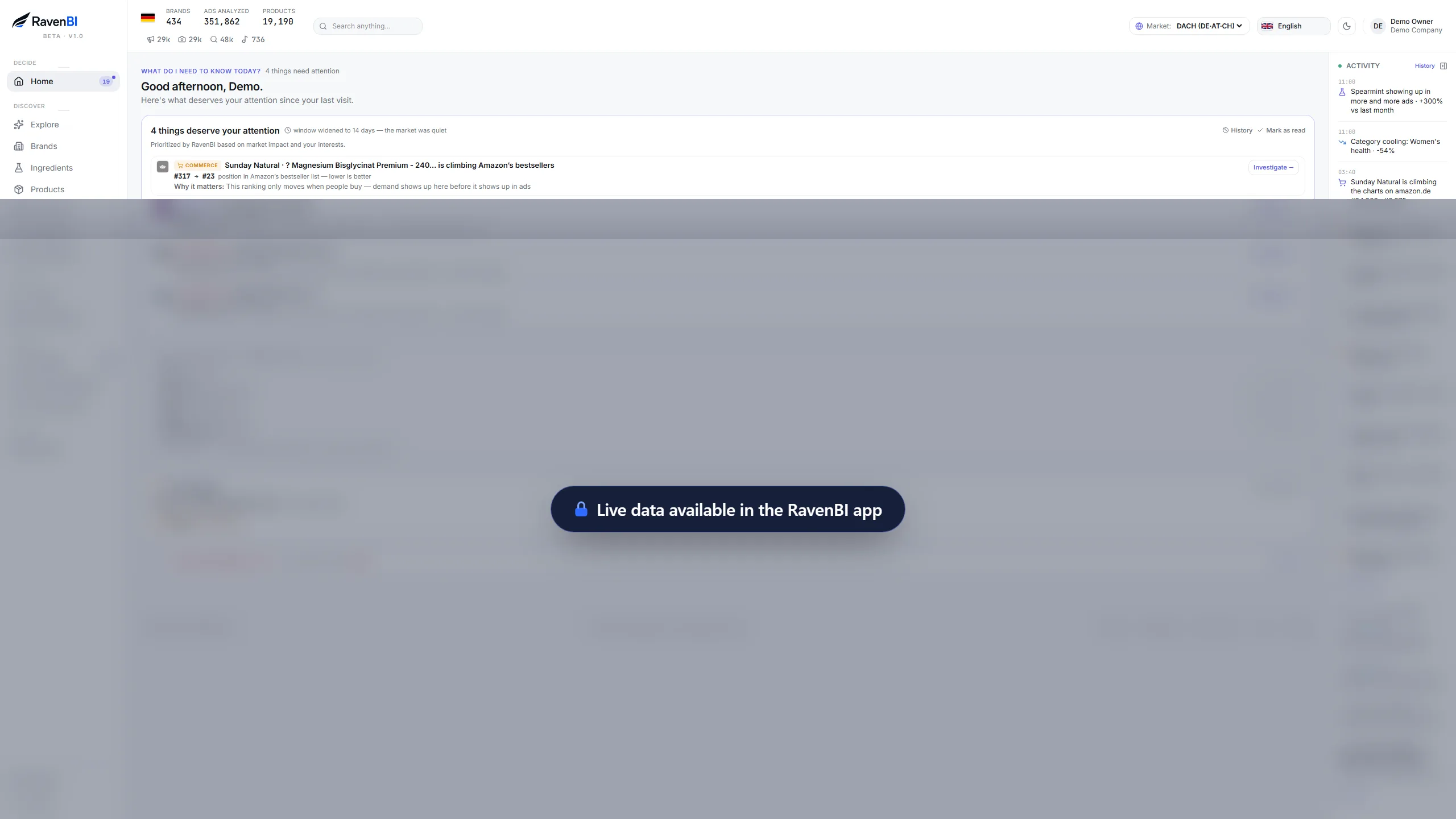
The priorities since the last visit, with "why it matters" on each — plus the market activity and the watchlist sentence: how many moved, how many stayed quiet.
How to read the signals
- A priority with a "why it matters" touching your terrain = the entry into the working day — investigating it is the first task, not the fifth;
- An automatically widened window = the market has been quiet — what you see is still relevant, just gathered over a longer interval; don't read it as a sudden pile-up;
- Watchlist: few movers, many quiet = the normal state of a healthy system — your attention goes entirely to the few;
- The same entities in the priorities, visit after visit = a story unfolding, not isolated events — the signal that the hour of full analysis is worth it, not another triage.
The typical mistakes
- going straight into deep pages, skipping Home — exactly the visits where you miss the change that happened in between;
- treating the priorities as news to read — each has an investigation path; unread ≠ judged;
- not trusting the quiet and re-checking everything manually — if you end up here, the system hasn't earned your trust or the watchlist doesn't cover what actually worries you; fix the cause, not the symptom;
- letting days of unmarked priorities pile up — the screen stays useful only if what you've seen is separated from what you haven't.
Exercise
One week, one single habit: every RavenBI session starts with Home and the thirty-second triage, and every priority gets one of the three decisions on the spot — investigate, note, seen. At the end of the week, count: how many moves did you learn about from Home before you'd have learned them from anywhere else? That number is the system working.
Home works when you come to it. But some events can't wait for your next visit — and for them there's the reverse channel: the alerts that come to you. Next chapter: when a notification deserves to interrupt you.